What it's serving
Fingerprints the command line and recognizes Next.js, Vite, Nuxt, NestJS, webpack, nodemon, ts-node, tsx and Jest. Anything else shows the actual script name — never a bare PID.
 Winnom
The dev process warden
Six node.exe entries in Task Manager and not one will tell you which is which
— and the Python side is no better. Winnom hunts down every Node.js and Python process
on your machine, shows what it's serving, what port it owns and what it's eating — and
ends the runaways with one click.
Windows 10 & 11 · Native app, no Electron · Node free forever
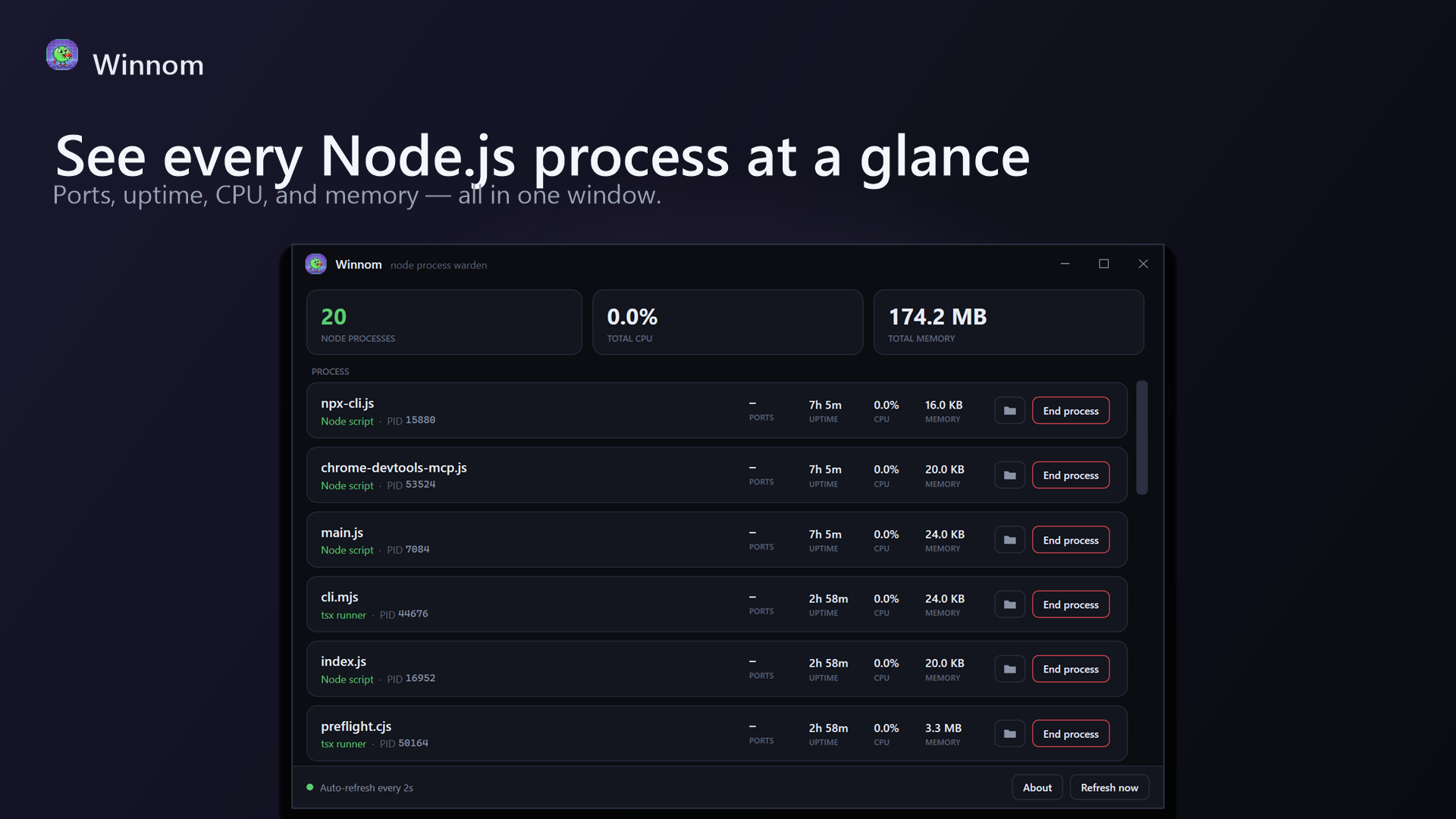
For every Node.js and Python process, at a glance — refreshed every two seconds.
Fingerprints the command line and recognizes Next.js, Vite, Nuxt, NestJS, webpack, nodemon, ts-node, tsx and Jest. Anything else shows the actual script name — never a bare PID.
Django, Flask, Uvicorn, Gunicorn, Celery, Jupyter, Streamlit and pytest — recognized the same way, in their own title-bar tab. Even catches the Microsoft Store Python that hides as python3.13.exe.
Read straight from the Windows kernel TCP table — no netstat parsing. You instantly know which process owns :3000 or :8000.
Per-process CPU sampled live between refreshes, working-set memory, and how long each process has really been running.
Hit the folder button and Explorer opens right at the serving directory — highlighting the script itself. Winnom reads the process's real working directory to get it right.
The End process button terminates the process and its entire child tree, after a quick confirmation so you don't nuke unsaved work by accident.
A header strip rolls the active language up into three numbers — total count, total CPU and total memory — so you can tell at a glance whether your dev stack is quietly idling or quietly eating your laptop.
Built on WPF / .NET 10. No Electron, no Chromium. It starts instantly and stays out of the way.
Not a bloated system dashboard. Winnom is laser-focused on the dev processes developers actually need to wrangle a dozen times a day.
Ports from the TCP table, working directories from the process PEB. Real numbers from the source, not scraped from other tools.
One free app on the Microsoft Store. Windows 10 (1809+) and Windows 11, x64. Unlock languages as you need them.
Free
$4.99 one-time
More languages are coming — Rust is next, on the same buy-once terms. Node stays free.
Winnom is a lightweight native Windows app that lists every Node.js and Python process running on your machine, shows its port, CPU, memory, uptime and what it's serving, and lets you end a process and its child tree with one click.
Open Winnom. It reads listening ports straight from the Windows kernel TCP table and shows which process owns each port, so you can see what holds :3000 (or :5173, or :8000) without parsing netstat output — then kill it right there.
Winnom is a free download from the Microsoft Store, and Node.js monitoring is free forever. Python monitoring is an optional one-time $4.99 in-app unlock — no subscription, no account, buy it once and it's yours.
Yes — since v1.1.0. Winnom watches Python processes and recognizes Django, Flask, Uvicorn, Gunicorn, Celery, Jupyter, Streamlit, pytest and more, including the Microsoft Store Python install. Before you unlock it, the Python tab runs as a live preview: your real processes are visible, with metrics blurred and actions disabled.
No. Winnom is a native WPF / .NET 10 app. There's no browser engine — it starts instantly and stays out of your way.